Don't Forget: The Smartest Way to Manage Your Essentials
By Don't Forget Team
April 25, 2026
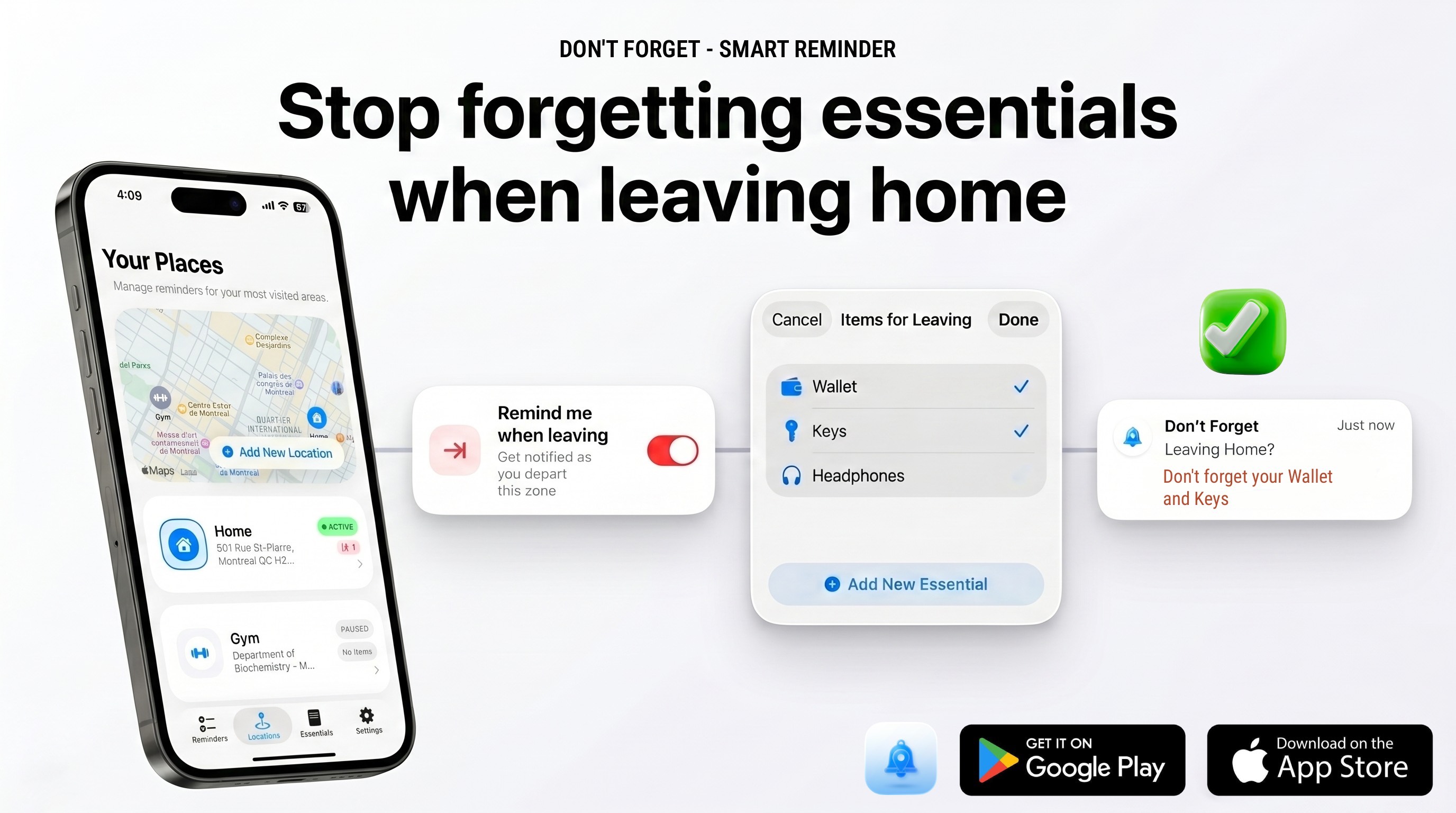
We’ve all been there: you walk out of the front door, lock it, head down the driveway, and only realize halfway to your destination that your keys, wallet, or medication are still sitting on the kitchen counter. Standard reminder apps are of little help because they rely on rigid timed alarms that ring when you're in the middle of something else, leading to alarm fatigue.
Don't Forget changes the game. By combining the power of geofencing and Bluetooth proximity checks, it acts as a proactive assistant that speaks up only when you are actually on the move. Here is how Don't Forget works to keep you organized and ensure you never walk out empty-handed.
1. Define Your Favorite Places
The foundation of a smart reminder is context. The app allows you to easily set up your most-visited locations—whether it's your home, office, local gym, or school. Using a clean, map-based interface, you can search for any destination and define a custom "Remind Zone" (geofence) around it. When you cross this invisible boundary, your phone knows it's time to check your essentials.
2. Attach Essentials to Each Location
Every location has a different purpose, which means you need different items for each. You can attach a custom list of essentials to every place you set up:
- Home: Wallet, keys, charger, jacket, sunglasses.
- Office: Employee badge, laptop, notebook, lunchbox.
- Gym: Water bottle, workout towel, headphones.
Optional Tracker Integration: For items you absolutely cannot afford to lose, you can link them directly to a Bluetooth tracking device (like a key finder or beacon). If you have a tracker, you can associate it with the item in the app; if not, no worries! The app works perfectly with standard manual checks as well.
3. Select WHEN to Be Reminded
Not all trips are the same. Don't Forget gives you granular control over when alerts should trigger. You can customize the trigger conditions to match your schedule:
- Direction of Movement: Choose to be alerted when leaving a location (so you don't forget your keys), or when arriving at a location (so you remember to pick up a package or check in).
- Smart Scheduling: Restrict alerts to specific days and times. For example, only trigger your office reminder on weekdays between 8:00 AM and 9:00 AM. This prevents annoying notifications on weekends or when you're just popping out for a quick walk.
4. All Set! Notifications at the Right Moment
Once your zones, items, and rules are configured, you can lock your phone and go about your day. Don't Forget runs efficiently in the background, utilizing native OS geofencing APIs to minimize battery consumption. The moment you step across the threshold of your defined zone, the app fires a clean, high-priority notification detailing exactly what you need to have with you.
5. Verify Your Items: Manual or Smart Bluetooth Checks
When the notification triggers, checking your items is seamless and flexible depending on your setup:
- Manual Verification: Tap the notification to view your checklist and quickly cross off items manually as you double-check your pockets or bag.
- Bluetooth Proximity Scan: If you linked your items to a Bluetooth tracker, the app can perform a background scan. It checks if the Bluetooth signal from your tracker is nearby. If your keys are in your bag, the app detects the tracker and automatically checks them off, letting you know you are safe to go!
Why It's Different
Unlike traditional reminder tools, Don't Forget is designed for the real world. It doesn't nag you with alarms when you're still in bed, and it doesn't stay silent when you're actually leaving. It bridges the gap between digital planning and physical action, giving you total peace of mind every time you step out the door.
Step out of the door with total peace of mind.
Download Don't Forget today on the App Store or Google Play and never look back for your keys again.